
Memory in AI apps
What it is
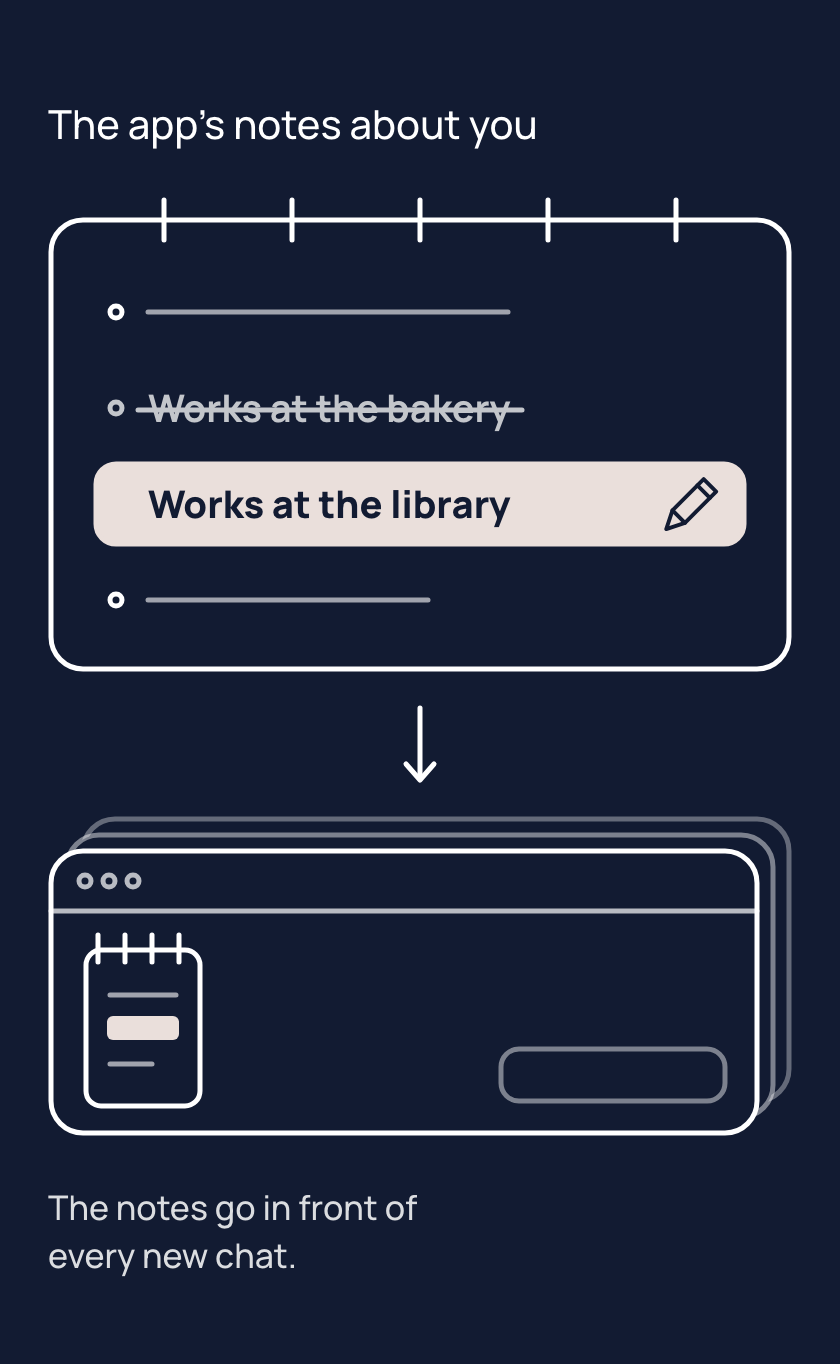
The app's notes about you are short facts your AI app saves between chats, often without being asked. Apps call them memory. The app often writes notes itself, so your notes can hold facts you never typed.
The memory section of your app's settings, the part about what the app remembers or knows about you, keeps the notes. Some apps list every note, and some show only a summary. There you can read, fix or delete a note, and often delete them all.
Say you change jobs and a note still names your old one. The app keeps putting that note in front of the model, so replies can still suit the job you left until you fix the note. In most apps, deleting a chat does not delete the note made from it. In many apps, switching memory off does not delete notes already saved.
Tips
- When something about you changes, fix the note in the memory section, because your app keeps using the old note until you do.
- When you delete a chat, check the memory section too, because in most apps its note stays after the chat is gone.
- When you ask your app to forget something, check the memory section, because a reply can say it is gone when it is not.
Try it
- Open a new chat and write: "Remember that my favourite fruit is mango."
- Open the memory section of your app's settings and find the note about mango.
- Change the note so it says pineapple. If your app only lets you delete notes, delete it instead.
- If you deleted the note, open a new chat and write: "Remember that my favourite fruit is pineapple."
- Open a new chat and ask: "What is my favourite fruit?"
If the reply says pineapple, the app put your fixed note in front of the model. If the reply says mango, open the memory section again and check the change was saved.
If the note is not in the list, your app may show only a summary. Some apps can also look back through your past chats. Those past chats have no list of notes to open.
Risks
- A note goes out of date, and the app puts the old fact in front of the model in every chat. Open the memory section of your app's settings, then fix the note or delete it.
- After something about you changes, an old note and a new one can disagree, such as two jobs. The app can put both in front of the model. Delete the old note so one is left.
- You delete a chat and assume its note went with it. In most apps the note stays in the memory section. Delete the note as well.
- You ask the chat to forget something and assume it worked. The chat can say it has forgotten, yet the note may still be in the memory section. Look in the memory section, and delete the note there.
Why it matters
The notes are what the app puts in front of the model about you. Keeping them right is the difference between help that fits you and help that fits who you were.