
Custom instructions
What it is
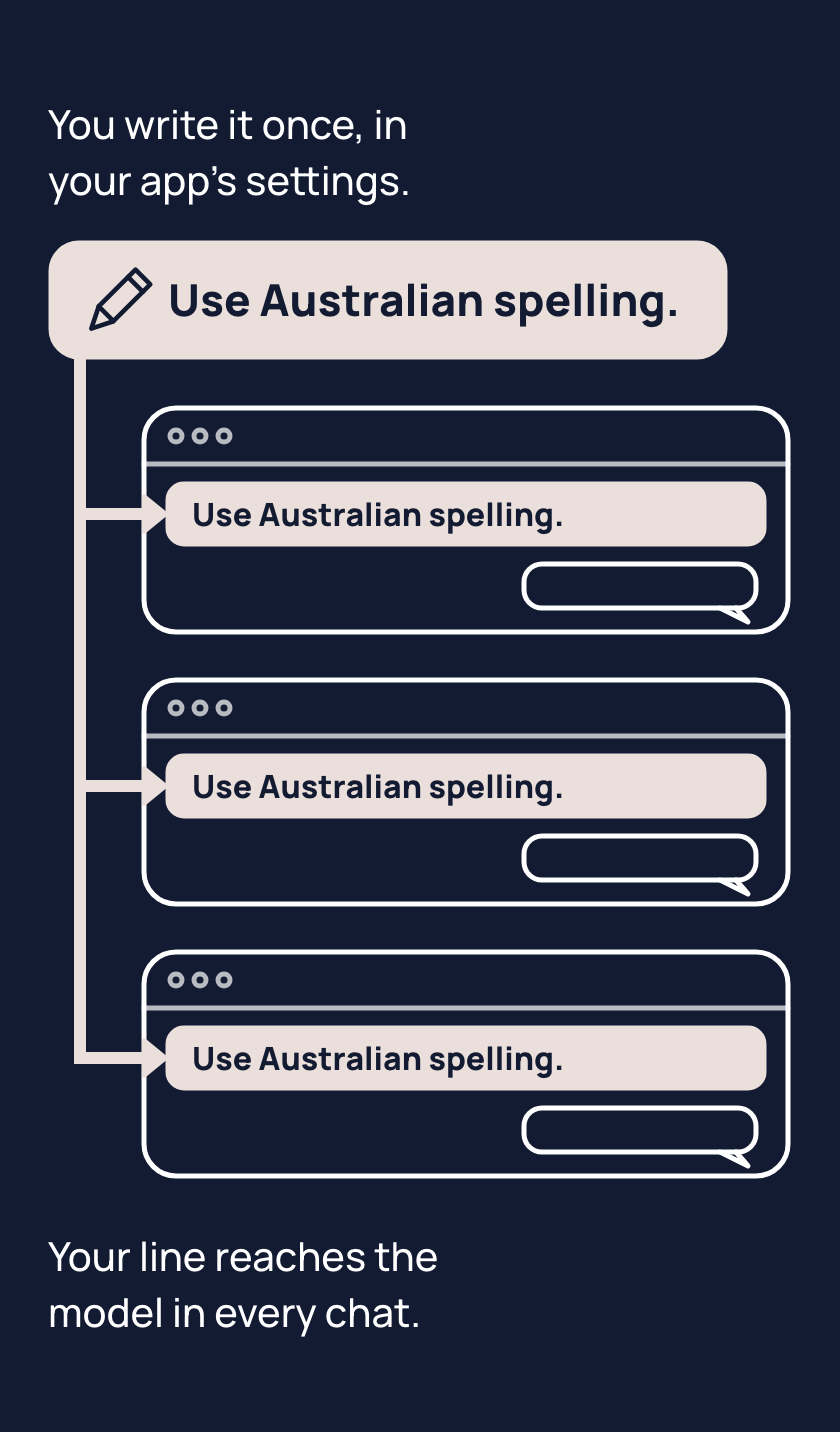
Your own instructions are a setting in your AI app where you write lines of your own, which the app puts in front of the model before your first message in every chat. You find your own instructions in your app's settings, in the part about personalising the app or giving it standing instructions.
Unlike the app's notes about you, called memory, you write these lines yourself. Your lines do not change the model.
If you have corrected spelling twice, write one line instead: "Use Australian spelling." A temporary chat, one the app does not keep, may leave your own instructions out, so try them in an ordinary new chat.
Tips
- When you make the same correction twice, save it as one line in your instructions, because every chat then starts with it.
- Keep your instructions to what is true every time, because a line about one task is still there when you start the next.
- When the model stops following a line, start a new chat, because in a long chat the model can stop following your instructions.
Try it
- Open your app's settings and find where you write your own instructions.
- Write one line for something you keep correcting, such as "Use Australian spelling."
- Open a new, ordinary chat.
- Ask it to describe a rainbow in two sentences, and check the spelling.
If the reply spells "colours" and similar words the Australian way, the setting worked. If it does not, your own instructions may be turned off in the settings, or the chat may be a temporary one. Some work and school accounts have the setting switched off. Look in your app's settings for where your own instructions go.
Risks
- A password in your instructions goes in front of the model in every chat. Keep passwords and other secrets out of the setting.
- A line written for one task, such as "always use bullet points", can get in the way of the next task. Put task details in that task's chat.
- The model may stop following a line in a long chat. Start a new chat, or say the line again.
- Some apps have projects, which are folders of chats with their own instructions, and a project's instructions can be followed instead of yours. Check the project's instructions when the model stops following a line there.
Why it matters
Your own instructions are the setting that makes an AI app yours. One saved line replaces a correction you would otherwise keep making.